 |
|
More Related Stories |
| Page (1) of 1 - 08/02/06 |
 email article email article |
 print
page print
page |
The RAW file format is the preferred format for professional digital photographers because it serves just like a digital negative, enabling photographers to tweak the file without changing the makeup of the file. There are several RAW converters on the market or in development. Apple's Aperture, RawShooter, and Adobe Lightroom are some of the products available or in pre-release.
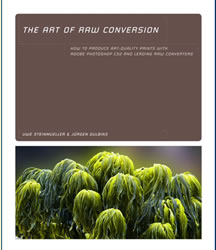
The Art of RAW Conversion by Uwe Steinmueller and Jurgen Gulbins is a book that details how to use these raw converters to create high quality images. The 14 chapter book begins with an Introduction to Raw files or Digital Negatives, what photographers have loosely called Raw format files. We take a look at the first several chapters in the book. Chapter 1 discusses how digital cameras create JPEG images and what it does to the information as it compresses those images when compared to a RAW file. It then discusses the limitations of in camera processing, what essentially occurs when shooting in the JPEG format, and the advantage of shooting in the Raw file format.
 |
| Click here to purchase |
Chapter 2 Basic Color Management brings color theory into the mix with a discussion on the RGB color model, CIE-LAB color model, color depth, CMYK color model, and grayscale mode. Other topics in the chapter include color management and color profiles, color management systems, ICC profiles, color spaces and color working spaces. The authors go in depth with some pretty technical jargon in this chapter, that while dry, is still important in the whole scheme of digital image capture and the Raw file format.
Chapter 3 A Basic Raw Workflow starts the more interesting portions of the book. This chapter discusses how to adjust your camera's settings to achieve the best results you can when shooting in the Raw file format. There is an expanded section on using the camera's histogram that includes a section on color channel clipping, before and after histograms, and Do you Really need Histogram. the second part of chapter 3 is called From Camera to Computer. Here the authors cover transferring photos to the computer, storage issues, renaming tools, and backing up. Section 3.3 covers Setting up your digital darkroom and choosing a Raw converter.
Chapters 4 through 8 individually cover the raw converters that are currently available. These are like mini reviews of each application. Chapter 4 is devoted to Adobe Camera Raw, Chapter 5 covers Pixmantec RawShooter, and Chapter 6 covers Apple's Aperture. Chapter 7 discusses some of the lesser known but equally useful raw converters on the market, including CaptureOne Pro, Bibble, and the converters that ship with digital cameras such as those from Nikon and Canon. Chapter 8 is devoted to Adobe Lightroom.
Chapter 9 covers some of the most widely used techniques Photoshop jockeys use to perfect their images. Several techniques are covered in the chapter starting with the Art of Sharpening, Noise Reduction, Chromatic Aberration and Purple Fringing, Distortion, Vignetting, Correcting Tilt and perspective Corrections, and Removing Dust Spots. Chapter 10 Batch Processing Techniques for Raw Files offers several different techniques to batch process raw images in several different Raw converters. These include batch processing with camera raw, using scripts in Bridge with Photoshop CS2, Batch Processing with CaptureOne, Batch Processing with RawShooter, and smooth batch processing.
Chapter 11 is devoted to the Digital Negative Format. The DNG format was developed by Adobe Systems in the hopes that camera manufacturers would adopt it (camera manufacturers all have a different raw implementation), and users would benefit from a more unified raw file format. The authors discuss several ways DNG could go with regard to its usefulness, including using DNG as an Exchange format, DNG as an archival format, and DNG as a Native Camera Raw format. Also discussed are the advantages and disadvantages of converting to DNG, and using the DNG converter. Chapter 12 Metadata is devoted to that all important topic; Metadata. the authors discuss Metadata for Photographs, working with metadata in Adobe Camera Raw and Bridge, and my favorite, retrieving files by searching for metadata.
Chapter 13 covers profiling your camera and calibrating your raw converter. This chapter is devoted mostly to professionals who wish to create a custom profile for their digital camera and Raw converter. The authors walk you through the use of applications designed to profile your camera, including Eye-One Photo, ProfileMaker, Adobe Camera Raw, and inCamera. Chapter 14 Creating B&W Photos from Color Images covers the use of the various Raw converters to create black and white images from color digital images.
For those who are in the market for a Raw converter, or just want to know how to get the most out of their Raw files, The Art of Raw Conversion will help you along the way. If for anything else, the book covers the more popular conversion tools in good detail while also offering technical aspects of the Raw file format and the art of photography.
The Art of Raw Conversion
by Uwe Steinmueller and Jurgen Gulbins
240 pages in full color
$39.95
No Starch Press
www.nostarch.com
 If you liked this article
click here to recommend it.
Page: 1
If you liked this article
click here to recommend it.
Page: 1
Related Sites: Creative Mac , Digital Producer , Audio Video Producer , Corporate Media News , Digital Media Designer , Oceania , MacDesignPro , Consumer Electronics Net , Photography (CE)
Related Newsletter: DMN Newsletter , Pixels Newsletter , DMNForums , Gadgets Newsletter , Tutorial Finder , Review Seeker
To Comment on This Article, Click HERE
Most Recent Reader Comments:
Click Here To Read All Posts
Must be Registered to Respond (Free Registration!!!, CLICK HERE)
Digital favorites
- Casino Online Non Aams
- Betting Sites UK
- Casino UK Sites
- Casino Online Non Aams
- Casino Non Aams
- Casinos Not On Gamstop
- UK Online Casinos Not On Gamstop
- Meilleur Casino En Ligne
- Crypto Casinos
- Casino Online Italia
- Migliori Giochi Casino Online
- Meilleur Casino En Ligne Français
- Casino En Ligne
- Meilleur Casino En Ligne Francais
- Siti Scommesse Non Aams
- Siti Poker Online Migliori
- Meilleur Site De Poker
- Site De Paris Sportif Nouveau
- Sweet Bonanza Fruits Avis
- Parier Sur Ufc
- Fm카지노 가입코드
- 비트코인 스포츠베팅
- Casino Jeux En Ligne
- Sites De Paris Sportifs
- Casino En Ligne Argent Réel
- Cresus Casino Avis
- Migliore Casino Non Aams
- Meilleur Casino En Ligne
- Meilleur Casino En Ligne 2026
- Casino En Ligne Fiable
- Casino En Ligne
- Migliori Casino Crypto
- Bonus Free Spin Senza Deposito
- Casino Online Non Aams Sicuri
- Migliori Siti Scommesse Non Aams
- Meilleur Casino En Ligne De France
- Casino En Ligne
- Casino En Ligne Fiable
- Trusted Online Casino Malaysia
- Nouveau Casino En Ligne 2026
- オンラインポーカー
- Casino En Ligne Cashlib


 (Rated by 37 users)


